Featured work

Selected projects that show how I design for clarity, application, and operational usefulness.

These examples are intended to show more than a polished screen. Each one reflects how I approach workflow training, content structure, learner support, and the translation of complex subject matter into usable learning.

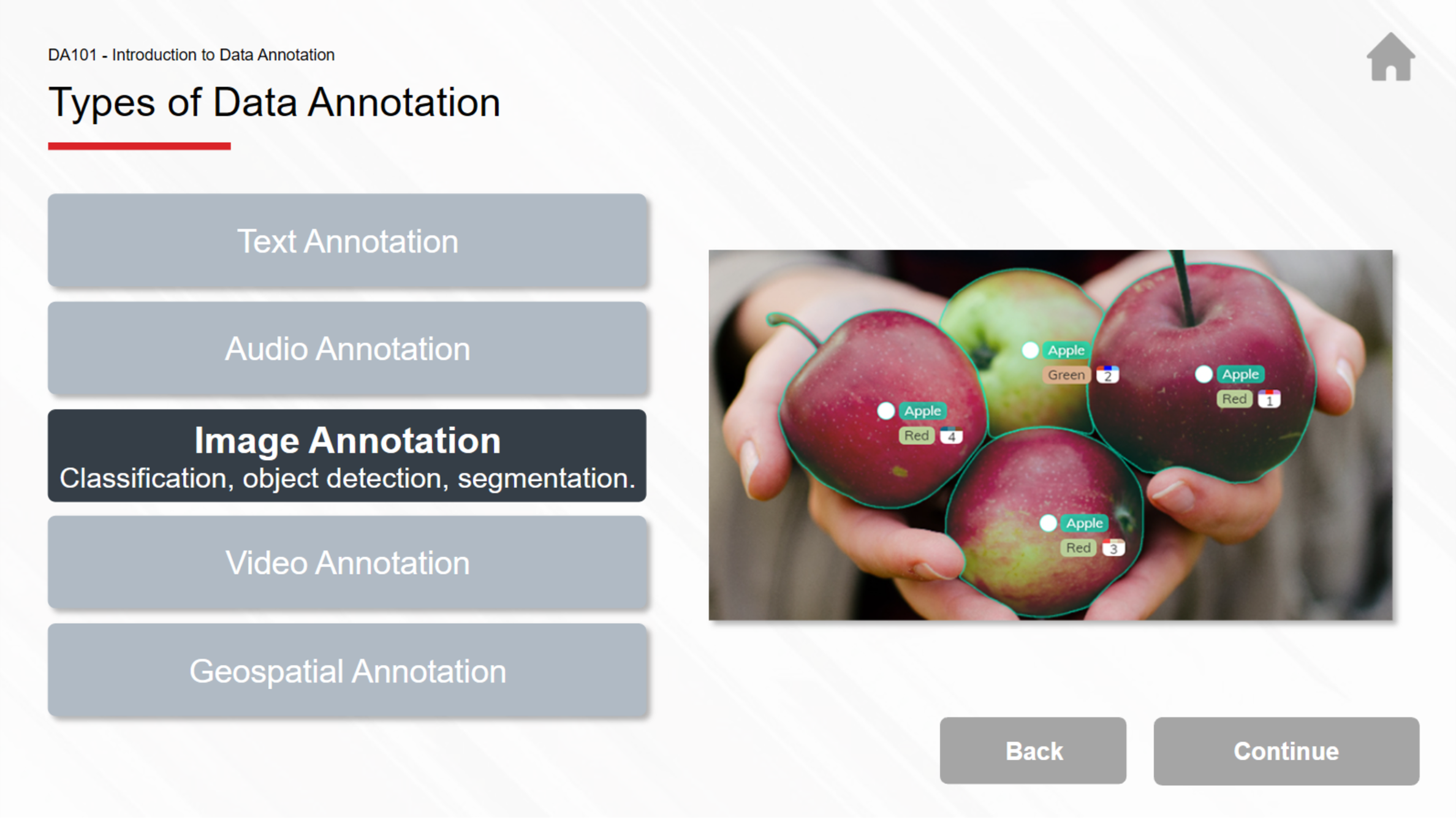
Value-Added Data Annotation in Manufacturing lesson screen
Storyline 360 AI & Machine Learning Manufacturing

Value-Added Data Annotation in Manufacturing

An interactive lesson built for MxD's Virtual Training Center, designed to teach advanced data annotation techniques that improve quality control, predictive maintenance, and workflow optimization in manufacturing environments.

  • AudienceTechnical and non-technical learners working with AI, machine learning, and manufacturing data systems.
  • FocusAdvanced annotation techniques, contextual analysis, pattern identification, and feature engineering for manufacturing use cases.
  • What it showsMy ability to translate complex technical content into structured, task-based learning with hands-on exercises and support materials.
  • Course contextLesson 5 of 11 in the Data Annotation for Machine Learning series, part of MxD's three-course curriculum.
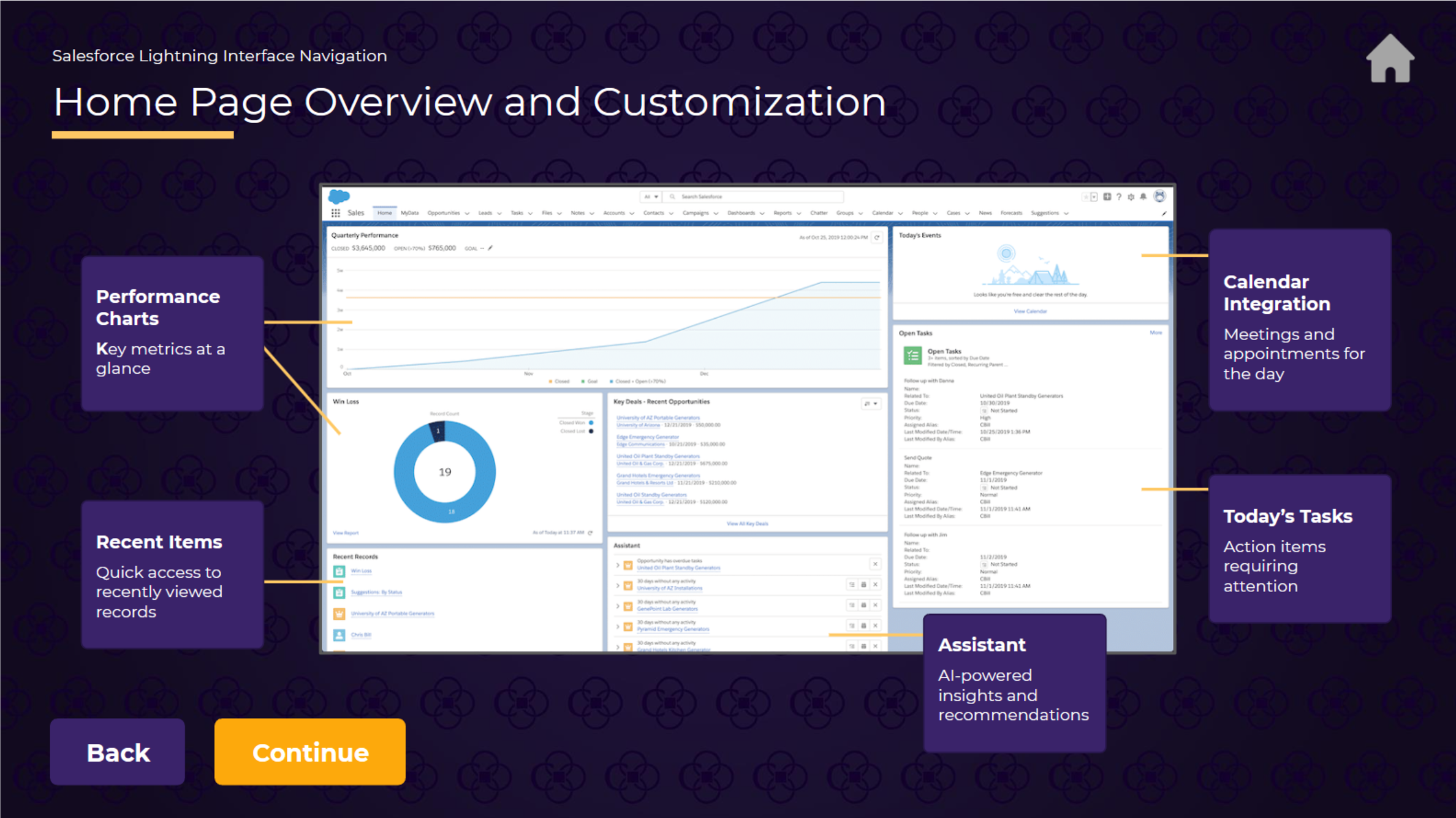
Salesforce Lightning Interface Navigation lesson screen
Salesforce training Interactive eLearning Workflow navigation

Salesforce Lightning Interface Navigation

A task-based lesson designed to help learners navigate Salesforce Lightning efficiently, customize their workspace, and access key data without losing context or workflow progress.

  • AudienceFinancial professionals and operations teams learning Salesforce-specific processes and navigation patterns.
  • FocusApp Launcher navigation, home page customization, global search, navigation bar use, and display density settings for optimized workflows.
  • What it showsHow I design training for real-world system navigation, multitasking efficiency, and interface configuration that supports daily work.
  • Estimated time20–30 minutes of hands-on practice with guided exercises and contextual examples.
About

Senior instructional designer focused on complex systems, operations, and learning that supports real work.

I'm a senior instructional designer and learning leader with 15+ years of experience building interactive eLearning, microlearning video, and blended training for complex systems and operations.

I specialize in turning messy, high-stakes workflows into clear, task-based learning in Articulate Storyline, Rise, and multimedia-driven formats. My work has included Salesforce and financial services training, manufacturing analytics, cybersecurity frameworks, enterprise software launches, technical onboarding, and support materials that help learning carry into the workflow.

Across roles, I've led multi-course programs from intake through launch and iteration, partnered with SMEs and operations leaders, built repeatable templates and documentation, and used feedback and performance data to improve the learning experience over time.

Design philosophy

Performance first, clarity always.

My design approach is grounded in task clarity, real-world usefulness, and interaction that helps learners think, decide, and apply.

01

Solve for performance

Training should help people perform a task, navigate a workflow, or make a better decision, not just complete content.

02

Use interactivity with purpose

Branching, simulation, and guided practice should reinforce action and understanding rather than decorative clicking.

03

Make complexity manageable

Clear structure, pacing, and visual restraint make dense systems and high-stakes content easier to understand and use.

04

Support the workflow

Guides, job aids, and quick-reference tools are often what make training useful after the module ends.

Workflow

A structured process from intake through launch and iteration.

This is the practical rhythm behind most of my projects, especially when the content is technical, process-heavy, or tied to operational change.

Step 1

Intake

Clarify the business need, scope, audience, constraints, and the real task or behavior the learning needs to support.

Step 2

Translate

Turn SME input, documentation, and process detail into a clear task-based learning structure.

Step 3

Design

Map the lesson flow, interactions, support materials, and assessment approach around the real work learners need to do.

Step 4

Build

Develop the experience in Storyline, Rise, video, and supporting assets with attention to accessibility, clarity, and usability.

Step 5

Launch and refine

Coordinate rollout, LMS setup, feedback, and iteration so the training keeps improving after delivery.

Contact

Open to conversations about instructional design, eLearning development, and complex training challenges.